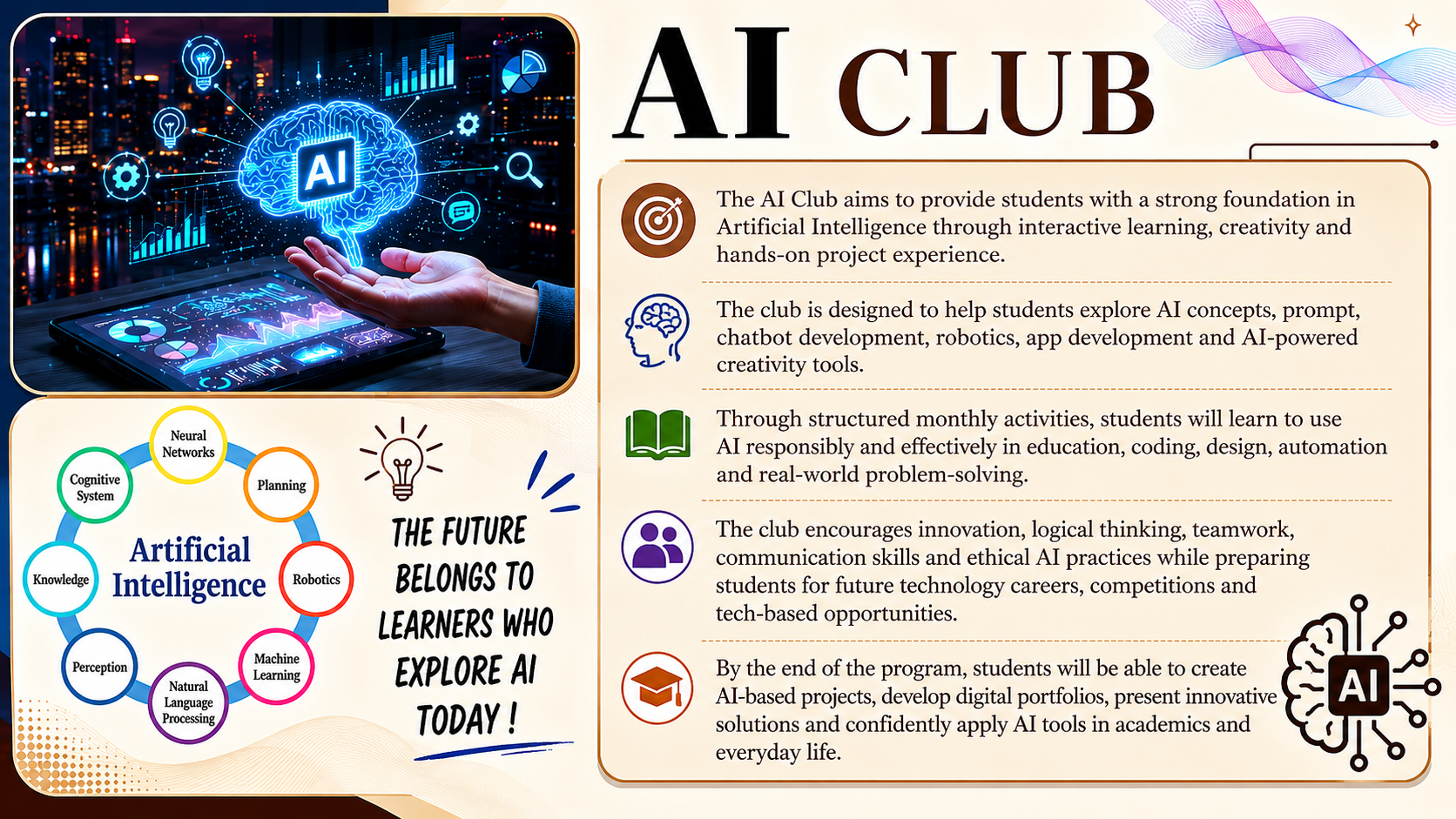
AIM
To develop students’ understanding of Artificial Intelligence and train them to use AI tools confidently for learning, creativity, and problem-solving.
GOAL
To equip students with essential AI knowledge, hands-on skills, and project experience to prepare them for future technology careers.
OBJECTIVES
- Identify different types of AI
- Use AI tools safely and ethically
- Build simple chatbots & mini apps
- Create content (images, videos, apps) using AI
- Apply AI in education, science, maths, and daily life
- Develop logical thinking and creativity
- Work on real projects and present them
LEARNING OUTCOMES
- Understand AI concepts clearly
- Build chatbots & basic ML models
- Use AI for design, writing, coding, and automation
- Create assignments/projects using AI tools
- Showcase a final portfolio
- Present a real AI-based project
- Gain confidence for competitions & tech fairs
FULL 12-MONTH SCHEDULE
MONTH 1 – INTRODUCTION TO AI
Week 1: What is AI?
Week 2: History of AI
Week 3: AI in daily life
Week 4: Mini Project – AI Around Me
MONTH 2 – PROMPT ENGINEERING
Week 1: What is a prompt?
Week 2: Types of prompts
Week 3: Prompt patterns
Week 4: Project – Write advanced prompts
MONTH 3 – AI FOR CREATIVITY
Week 1: Image creation
Week 2: Video creation
Week 3: Music generation
Week 4: Project – AI short film
MONTH 4 – AI FOR EDUCATION
Week 1: Science
Week 2: Maths
Week 3: English
Week 4: Project – Study notes
MONTH 5 – AI FOR CODING
Week 1: Basics
Week 2: AI coding tools
Week 3: Simple games
Week 4: Project – App/Game
MONTH 6 – CHATBOT DEVELOPMENT
Week 1: Chatbots
Week 2: Tools
Week 3: School bot
Week 4: Project – AI bot
MONTH 7 – MACHINE LEARNING
Week 1: ML basics
Week 2: Data patterns
Week 3: Training models
Week 4: Project – Predictions
MONTH 8 – ROBOTICS + AI
Week 1: Sensors
Week 2: AI robots
Week 3: Simulations
Week 4: Project
MONTH 9 – ETHICS & SAFETY
Week 1: Digital safety
Week 2: Responsible AI
Week 3: Case studies
Week 4: Project – Safety chart
MONTH 10 – APP DEVELOPMENT
Week 1: Design basics
Week 2: AI app tools
Week 3: Build app
Week 4: Project – First app
MONTH 11 – REAL-TIME PROJECTS
Week 1: Topic selection
Week 2: Data collection
Week 3: Build project
Week 4: Presentation
MONTH 12 – FINAL PORTFOLIO
Week 1: Final build
Week 2: Improvements
Week 3: Portfolio
Week 4: Tech Fair
AI LEARNING WEBSITES
- Teachable Machine – https://teachablemachine.withgoogle.com
- Scratch – https://scratch.mit.edu
- Code.org – https://code.org/ai
- AI4K12 – https://ai4k12.org
- CS First – https://csfirst.withgoogle.com
CHATBOT TOOLS
- ChatGPT
- AskAI
- Poe.com
AI IMAGE / VIDEO TOOLS
- Canva AI
- Adobe Firefly
- Bing Image Creator
STUDENT PROJECT TOOLS
- Tynker
- MIT App Inventor
- Roboflow
- Kaggle
MOBILE APP IDEAS
1. AI Learning Hub
- Daily tasks
- Video tutorials
- Progress tracking
- Quiz & chatbot
2. AI Explorer App
- Image generator
- Voice-to-text
- Chatbot
3. AI Homework Helper
- Math solving
- Notes creation
- Flashcards
4. Student Portfolio App
- Upload projects
- Resume builder
- Share work